The following texts were partially or completely generated with the help of generative AI models.
App-to-app navigation
No matter how much effort you put into inventing and coding the most beautiful app - sometimes it simply makes sense to jump off into other apps that may not be quite as great. For this, you use intent-based navigation in Fiori Elements. There are quite a few sources on this, such as this article by Ethan Jewett.
By and large, however, I am not entirely satisfied and happy with the up-to-dateness and comprehensibility of the documentation and many posts. For example, this documentation Navigation from an App (Outbound Navigation) is, in my opinion, not complete when it comes to the capabilities of ABAP CDS.
In the ABAP Platform Fiori Feature Showcase App, however, I did find a solution that works perfectly for my case - but which cost me far too much time due to the misery with the Fiori cache.
Hence, below is my little sample solution, which may at least serve as a starting point for some of you
Intent-Based Navigation - a working example
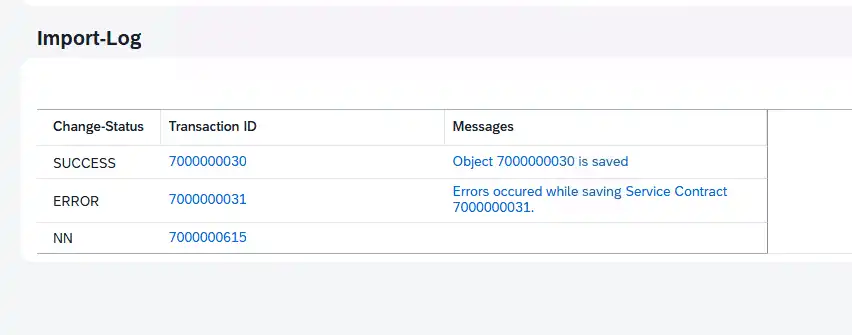
  @UI.lineItem: [ { position: 20,
                    type: #WITH_INTENT_BASED_NAVIGATION,
                    semanticObject: 'ServiceContract',
                    semanticObjectAction: 'display' } ]
  ServiceContract;

  @EndUserText.label: 'Messages'
  @UI.lineItem: [ { position: 30,
                    type: #WITH_INTENT_BASED_NAVIGATION,
                    semanticObject: 'ApplicationLog',
                    semanticObjectAction: 'showDetails' } ]
  @UI.textArrangement: #TEXT_ONLY
  LogHandle;
What is important here:
- Unlike many descriptions from 1276 blog posts, you do NOT need @Consumption.semanticObject. To be precise, you must NOT use this annotation anymore, otherwise the annotation on the field will not work
- WITH_INTENT_BASED_NAVIGATION and not FOR_INTENT_BASED_NAVIGATION - a very popular mistake
- And according to feedback from the community, you unfortunately CANNOT combine the link with the criticality annotation
- According to the documentation from the Feature Showcase app, this syntax only works as of S/4HANA 2023
- Another popular mistake: the annotation is placed within an entry together with the position and is not separate, as it is with the action, for example.
- with the annotation semanticObjectBinding: [{...}] you can adjust field names that are named differently in the target app than in your own (not validated myself, but I'll trust SAP here for once)